
Choreograph to the beat.
Place each firework on a timeline against the client’s song, from the left, centre and right launch sites. Snap to the beat, rehearse from any moment, then lock it in.
An Andrew Tech game · In development
Run a small family fireworks firm in a cosy British village. Every client brings a budget, a song and opinions. Plan every burst, then watch the green light up.
Single-player. No account needed. Relaxed and family-friendly.
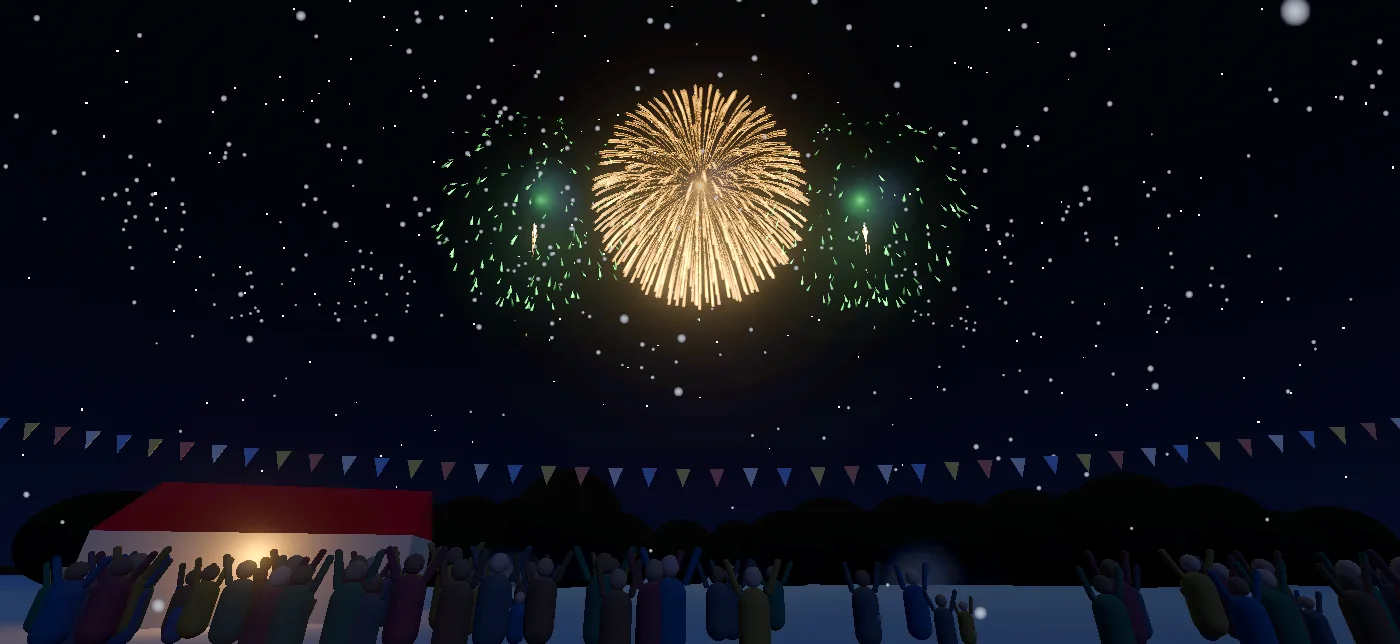
Place each firework on a timeline against the client’s song, from the left, centre and right launch sites. Snap to the beat, rehearse from any moment, then lock it in.
Margaret wants gold and no bangs, for the sake of Mr Pike’s goats. DJ Voltage wants pairs on the drop. The council has a firm budget and a clipboard.
Perform the show for the crowd and read the review. Stars add up across your jobs to open new bookings, new fireworks and new tools.
The planner
Fireworks take a moment to climb, so the planner shows where each one bursts. Gold rings mark a burst right on the beat. Pair fireworks across the sites for combos, keep the smoke clear and save something special for the finale.
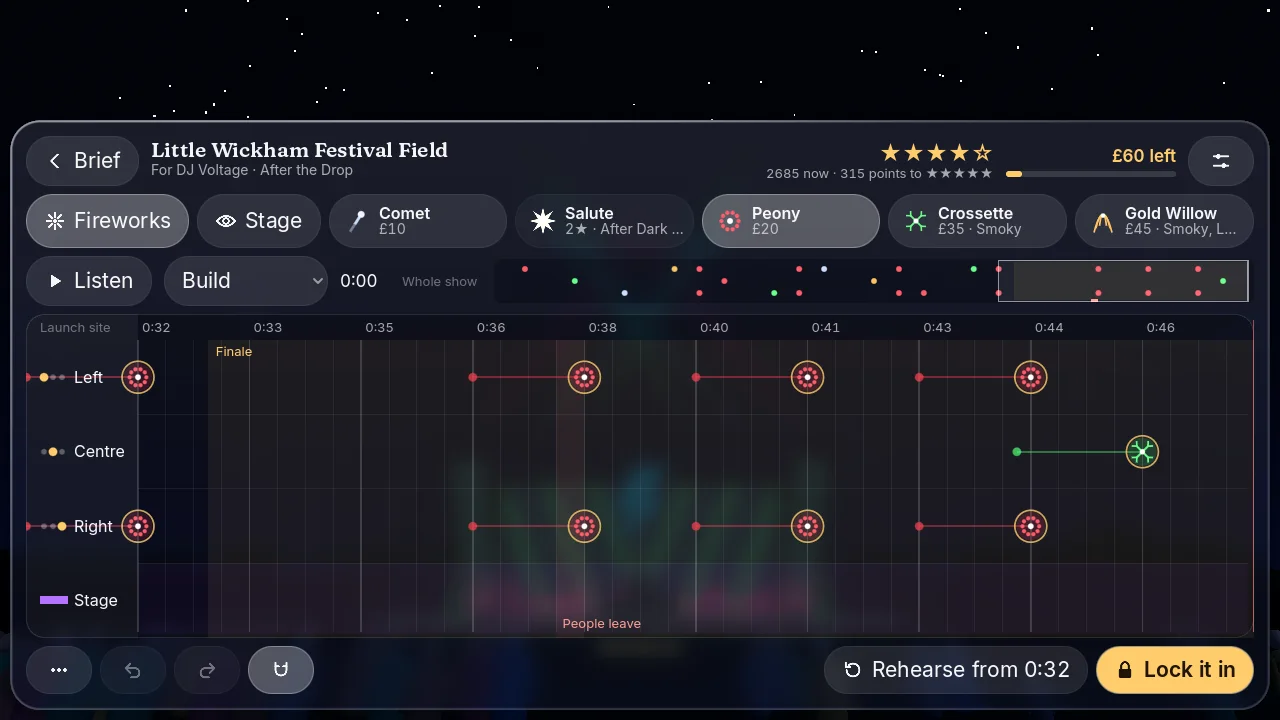
From the fête to New Year
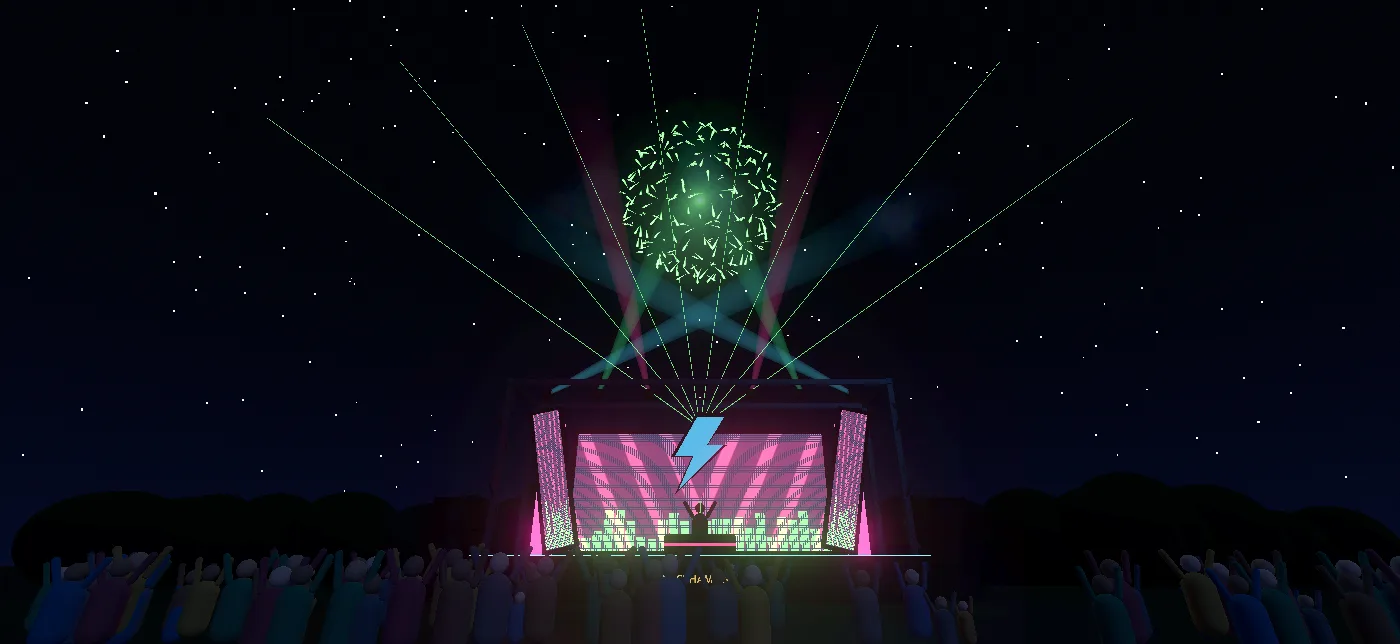
Start at Little Wickham’s summer fête and work up to a festival stage, Bonfire Night, a winter wedding and the Mayor’s New Year’s Eve. Clients text you between jobs, the rival firm Blaze & Sons keeps score, and free play lets you build a show just for fun.
Help from the maker
Found a bug or stuck on a booking? Email andrew@andrewtech.co.uk with “Sparks & Co.” in the subject. Andrew Tech is run by Andrew Misselbrook in the United Kingdom.
For a technical issue, include your device model, operating-system version, game version and what happened just before the problem. Screenshots help; please leave out personal or sensitive information.
Stars add up across all your jobs. Each booking on the map says how many stars in all it needs and how many you have. Two stars on a job also earn its rewards, so going back to improve an earlier show counts too.
Burst fireworks on the beat (gold rings show when you have), vary them, pair them across the sites, and give the client their wish. Keep the sky busy, mind the smoke and build to a strong finale. The review says what would have earned the next star.
On iPhone and iPad, open Free play from the map and choose from Apple Music. It opens once you’ve earned the song chooser with two stars at Bonfire Night. Full songs need an Apple Music subscription, and since Apple Music doesn’t share a song’s beat, you time those shows by ear.
Yes. In Settings, lower Flash intensity to soften the brightest moments. You can also change the text size, panel contrast and haptics there.
Bluetooth headphones and speakers can add a delay. Try the device’s own speaker or wired headphones.
No game account is needed, and the career plays offline. On iPhone and iPad, iCloud keeps your progress in step across your devices when you’re online. Apple Music needs a connection.
Progress is saved on your device, and on iPhone and iPad it also syncs through your iCloud account. Before reinstalling or changing devices, check your latest progress has synced and use the same Apple Account. Andrew Tech cannot restore a save from your private iCloud storage or your device.
If you have Philips Hue colour lamps, Settings can find your Hue Bridge and pair with it when you press its button. Up to three lamps then glow in each firework’s colour, for the left, centre and right sites. No lamp flashes more than three times a second, and each goes back to how it was after the show.
Sparks & Co. privacy policy · Updated 19 November 2026
This policy applies to the Sparks & Co. mobile game published by Andrew Tech, run by Andrew Misselbrook in the United Kingdom. For questions or a request about information you have sent us, email andrew@andrewtech.co.uk.
Sparks & Co. does not require a game account and does not collect or transmit personal information to Andrew Tech. The game has no advertising, tracking, third-party analytics SDKs, chat or in-app purchases. It does not request access to your contacts, location, camera or microphone.
Your stars, takings, purchases from the in-game supplier, saved shows and settings are stored on your device. On iPhone and iPad, the game also keeps your progress and saved shows in your own iCloud storage so they appear on your other Apple devices. Apple processes that data to provide iCloud under its own terms and privacy policy. Andrew Tech does not operate a game-save server and cannot access your iCloud data. Your operating system may include app data in device backups, depending on your own backup settings.
Once earned in the game, free play on iPhone and iPad can use songs from Apple Music. The game asks your permission first. Your searches and the songs you play go to Apple through its MusicKit service, under Apple’s privacy policy. Nothing about your music is sent to Andrew Tech.
If you choose to connect Philips Hue lights in Settings, the game asks Signify’s discovery service (discovery.meethue.com) where your Hue Bridge is, then talks to the bridge directly over your home network. Like any website, the discovery service sees your device’s internet address. The bridge’s address and your chosen lamps are remembered on your device only.
A show code is text that you copy and send yourself, however you like. The game does not upload it anywhere.
We receive your email address and the message, attachments or device details you choose to send. We use them to answer your enquiry and investigate the issue, on the basis of our legitimate interest in supporting the game. They are handled through our email provider, kept only as long as needed for support and any applicable obligations, and are not used for advertising or sold.
The game does not collect personal information from players, including children. Apple, Google or your device provider may separately process store purchases, device backups or diagnostics under their own policies and your settings. Any crash report or feedback you choose to share through a platform may be made available to the developer.
You can manage local app data, iCloud data and backups through your device settings. Uninstalling may delete your progress; backups and iCloud may retain a copy until you remove them. For support information you sent to Andrew Tech, you can ask for access, correction or deletion, or object to its use. You can also complain to the UK Information Commissioner’s Office.
This webpage is part of the Andrew Tech website. Its hosting, website analytics and contact services are described in the Andrew Tech privacy policy; they are separate from the game. If the game’s data practices change, this policy and its date will be updated.
Licensing & website terms
Sparks & Co. is made by Andrew Tech. The iOS app is licensed under Apple’s Standard End User License Agreement. Store purchase, download and refund terms are handled by the store from which you obtain the app.
The Andrew Tech website terms apply when using this website. For help with the game or questions about these details, contact andrew@andrewtech.co.uk.